A2P 10DLC Compliance Screenshots
MemberMe · Brand & Campaign Registration Reference · February 24, 2026
For regulatory/carrier review: This page documents the required compliance materials for the MemberMe Notifications A2P 10DLC SMS program, including website pages and in-app opt-in flow. Screenshots are numbered to match common TCR/carrier submission checklists.
Submission URLs
| Field | Value |
|---|---|
| Brand / Company | MemberMe |
| Website | https://www.memberme.app |
| Privacy Policy | https://www.memberme.app/privacy.html |
| Terms of Service | https://www.memberme.app/terms.html |
| SMS Program Terms | https://www.memberme.app/sms.html |
| Opt-In Disclosure | https://www.memberme.app/optin.html |
| Campaign Use Case | 2FA / Account Notifications / Transactional |
| Marketing SMS | No |
| Contact | hello@memberme.app |
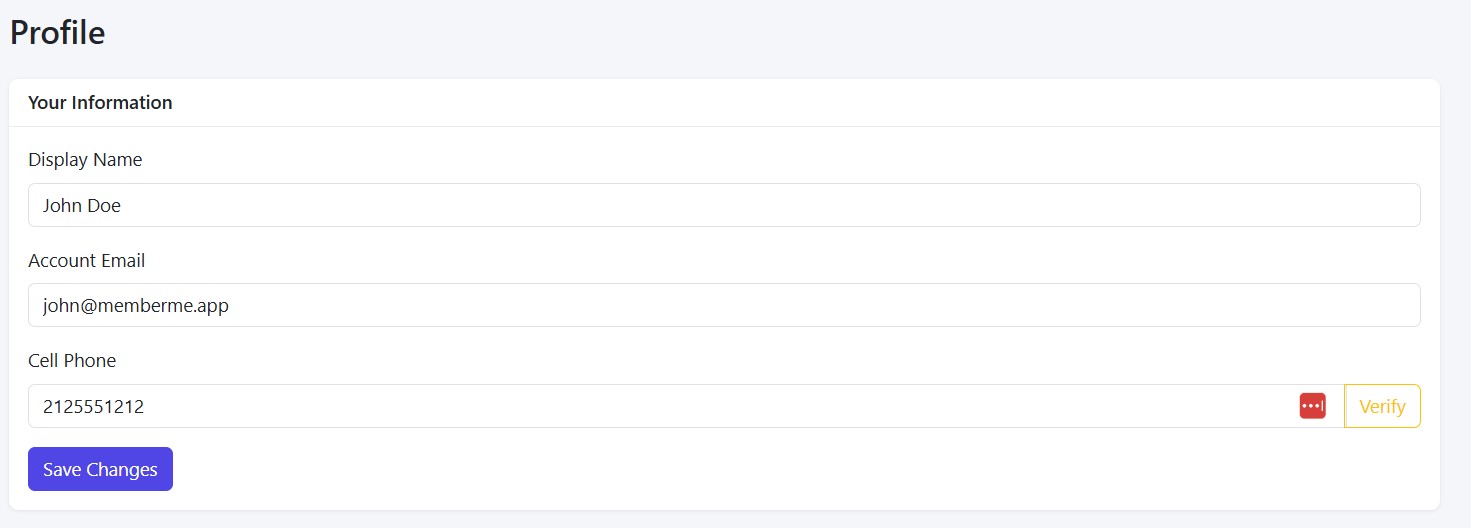
1
In-App Opt-In — Add Phone Number
User enters their mobile number and sees the SMS consent disclosure before verifying
Live
screenshots/Screenshot-AddNumberAndVerifyButton.jpg
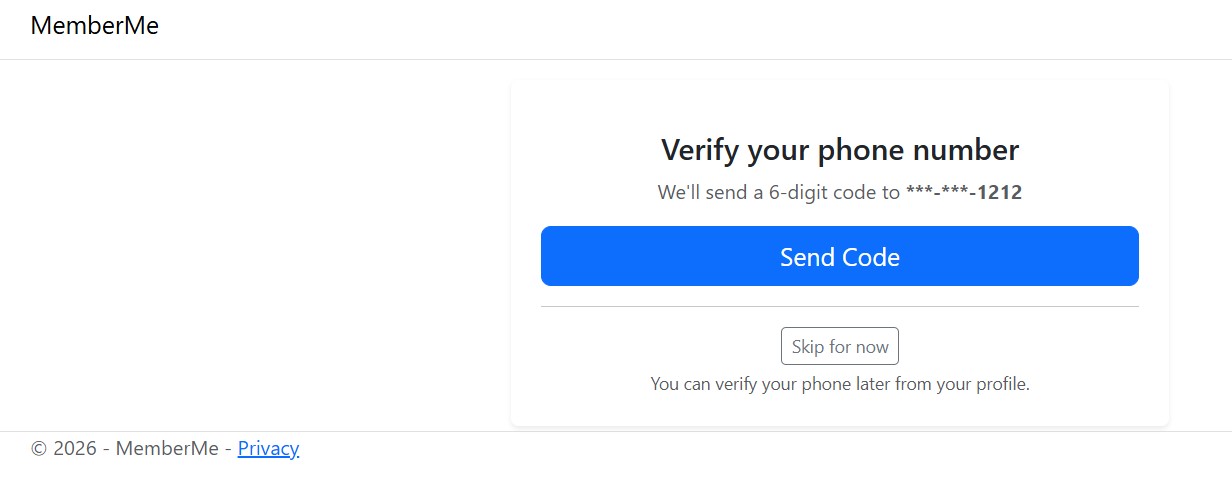
2
In-App — Send SMS Verification Code
App triggers a one-time SMS verification code to the user's provided number
Live
screenshots/ScreenshotSendSMSCode.jpg
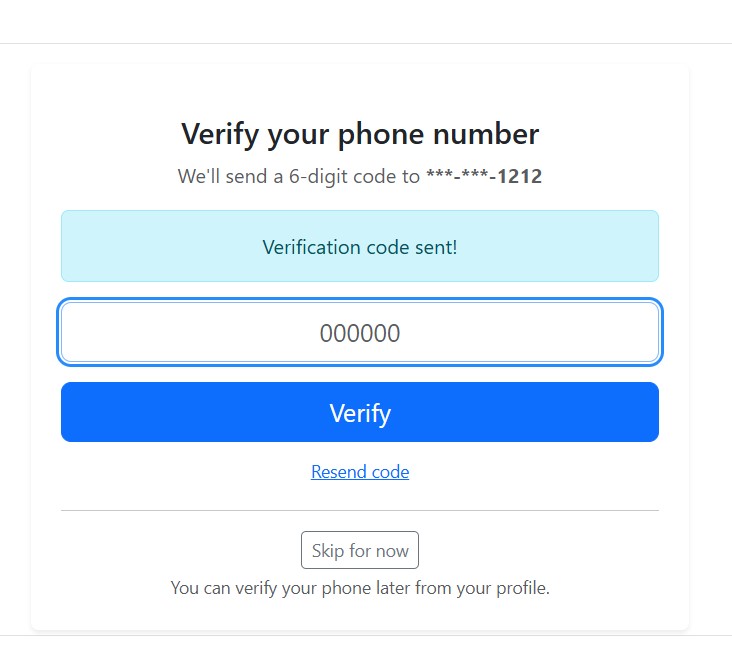
3
In-App — Enter Verification Code
User enters the received SMS code to complete phone number verification
Live
screenshots/ScreenshotVerifyPhoneNumberWithCode.jpg